
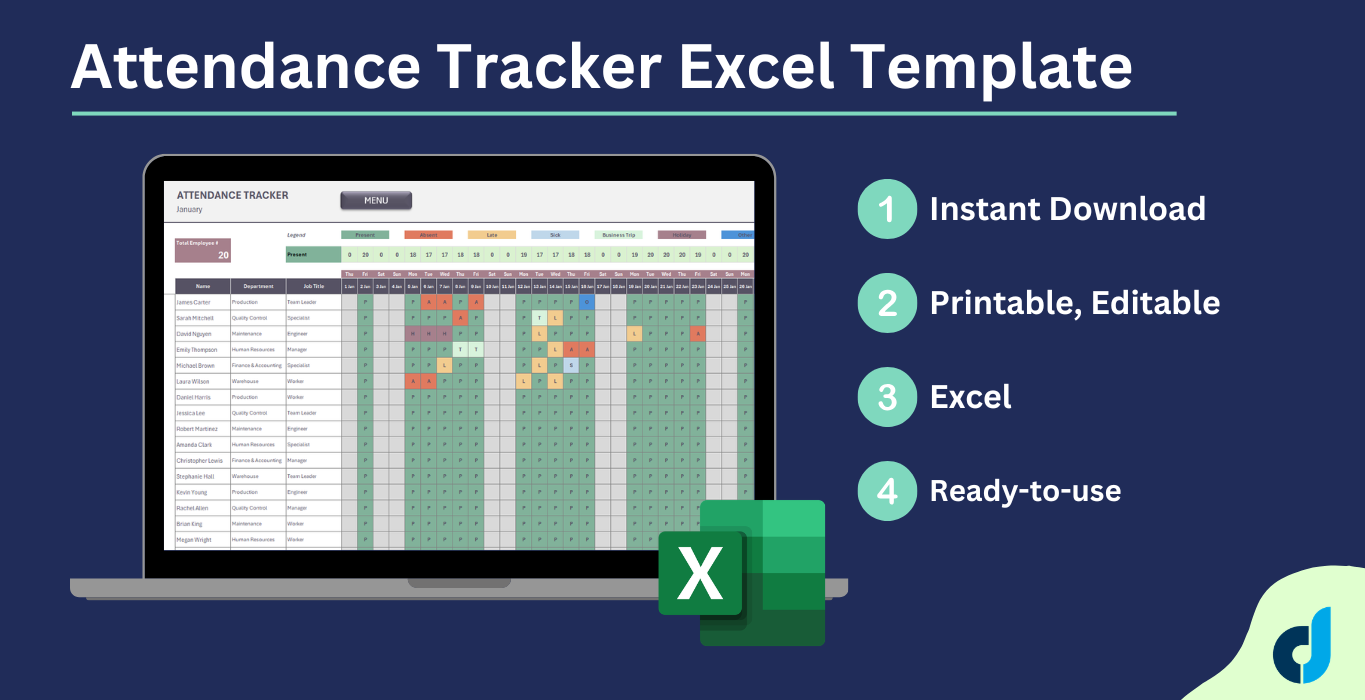
Attendance Tracker Excel Template
Attendance Tracker Excel Template. Spreadsheet to track attandance and absence for a team: employees, students, course attendants, etc. Dashboard included.
Attendance Tracker Excel Template
Stop managing attendance manually. One spreadsheet. Your entire team. The whole year. Attendance Tracker Excel Template.
The 2026 Employee Attendance Tracker is a fully structured Excel template designed for HR professionals, operations managers, and team leaders who need a reliable, low-maintenance system to monitor workforce attendance — without investing in costly software.
How to use Attendance Tracker Excel Template?
Built around a four-layer architecture of settings, team roster, monthly sheets, and a summary dashboard, this template gives you complete visibility over your team’s attendance from January through December.
1. Menu
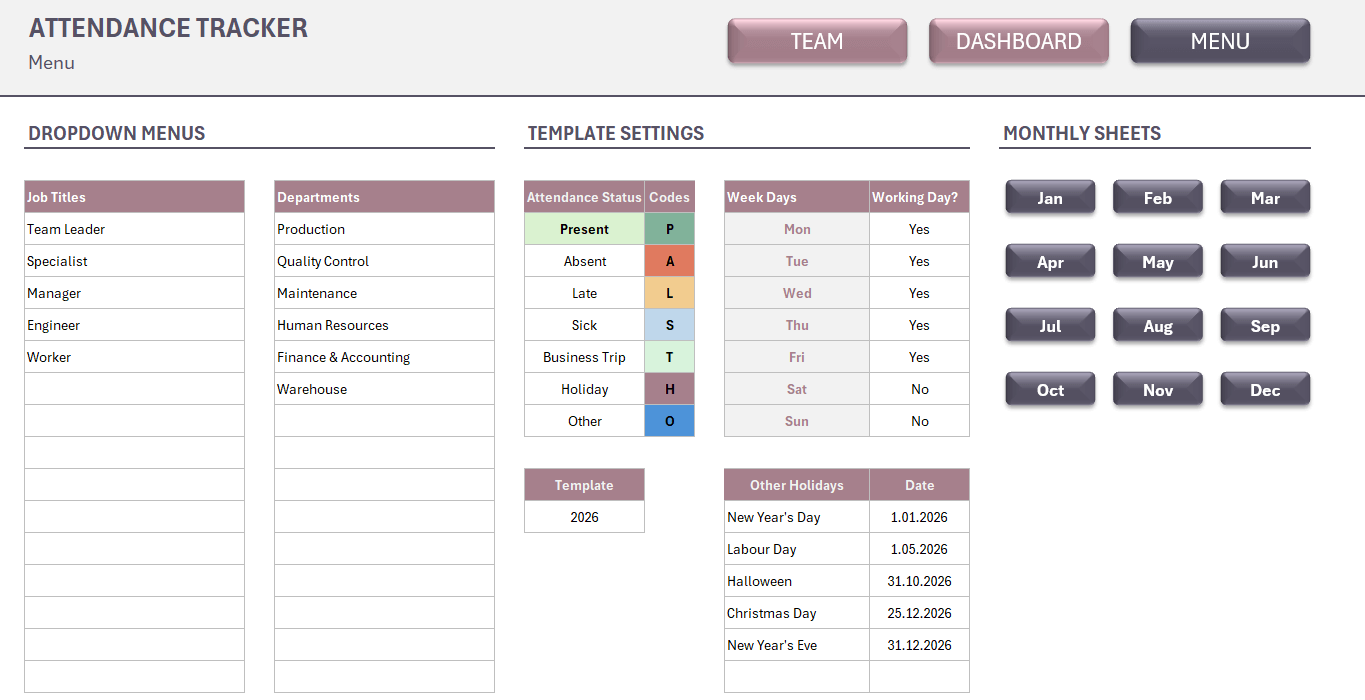
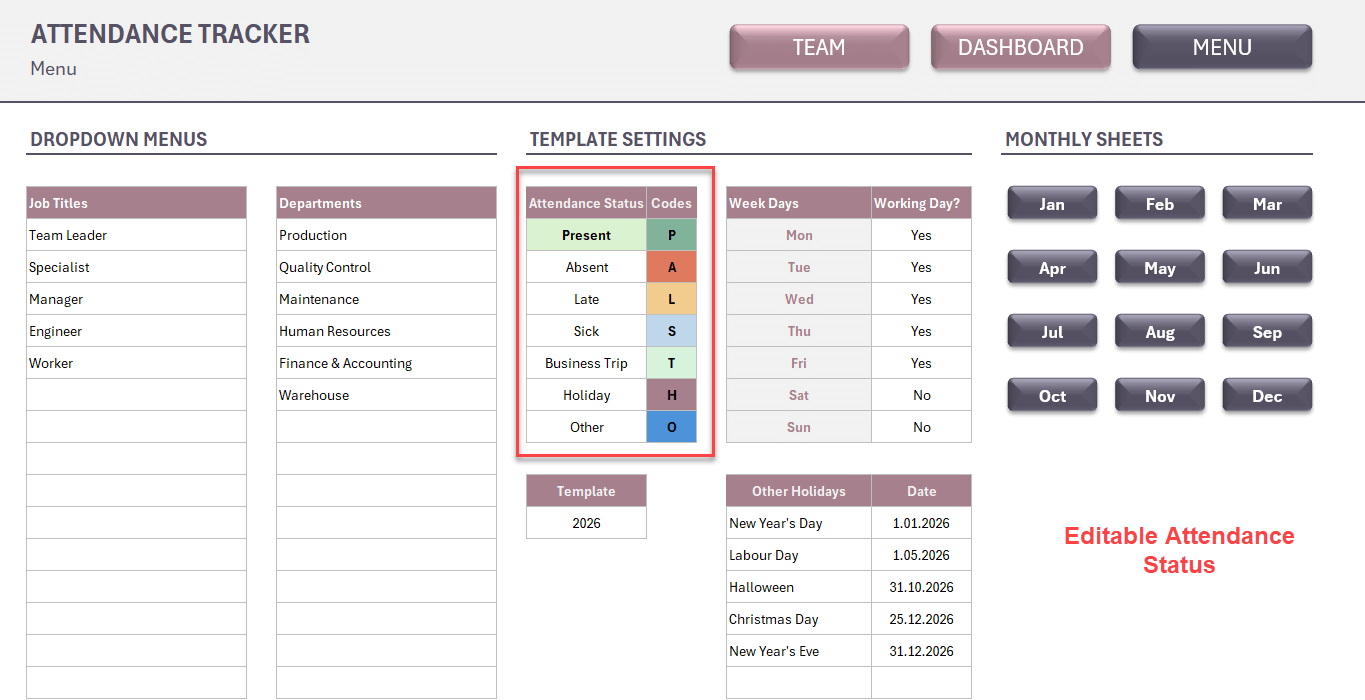
Firstly, start with the Menu page. Here you’ll find Dropdown Lists, Template Settings and navigation buttons for monthly sheets.
Dropdown Lists
Please fill out your dropdown menus for Job Title and Department sections.
Template Settings
There are some small settings you should complete before start using your attendance tracker in Excel.
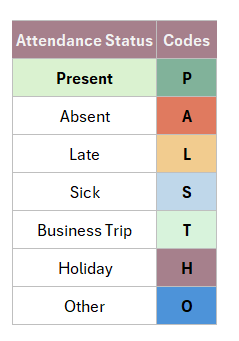
- Define Attendance Status options
- Set your template year
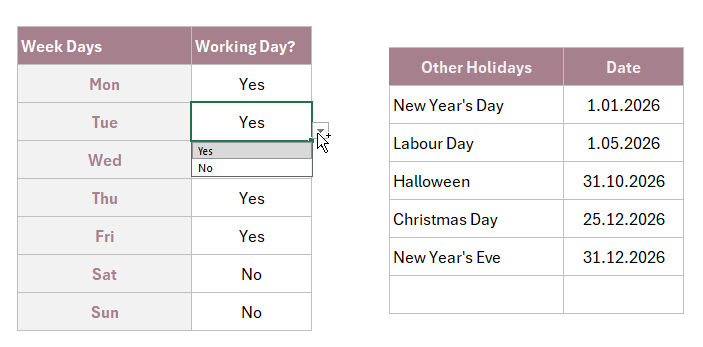
- Configure your Working Days table. Select “Yes” for the working days.
- Write down any other holidays you’ll have throughout the year.
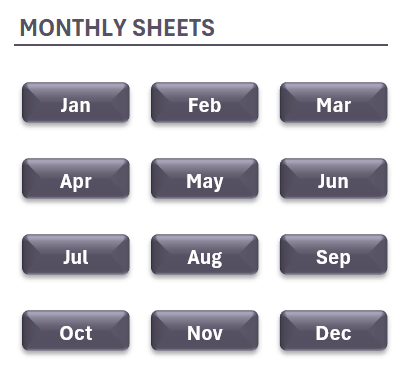
Monthly Sheets
The monthly buttons will help you to navigate easily through the template
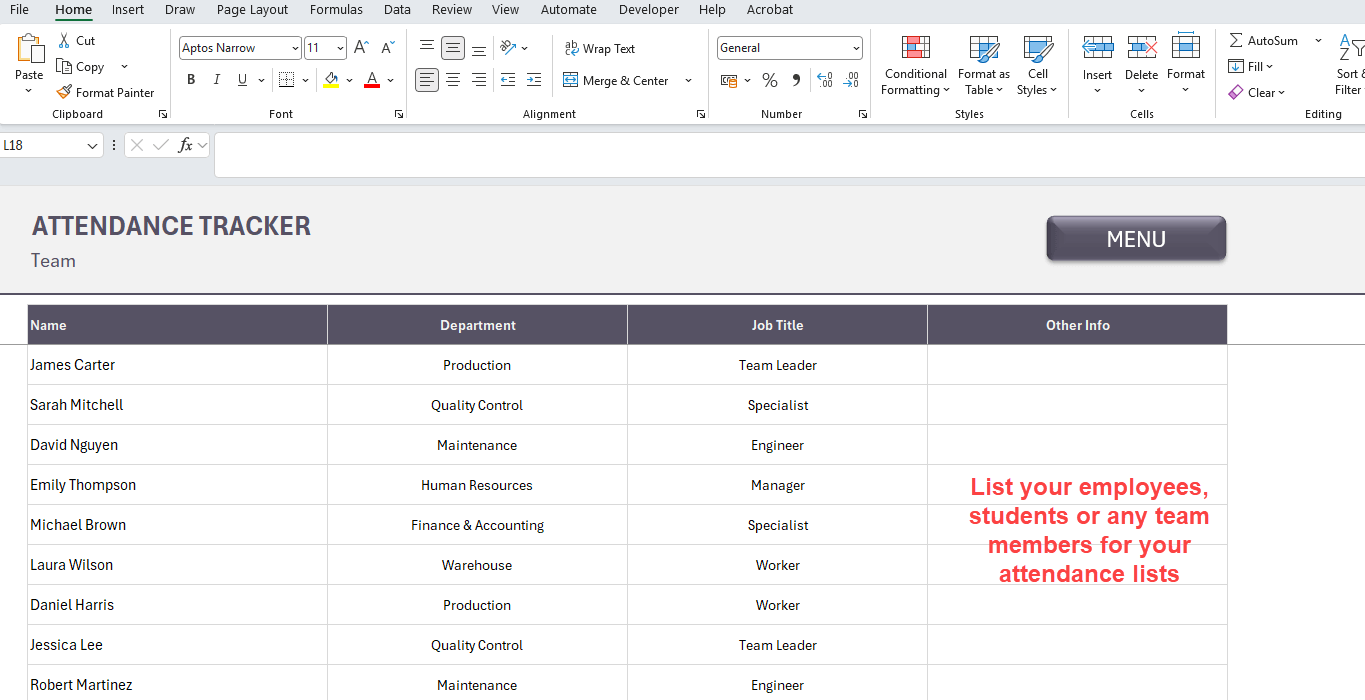
2. Team
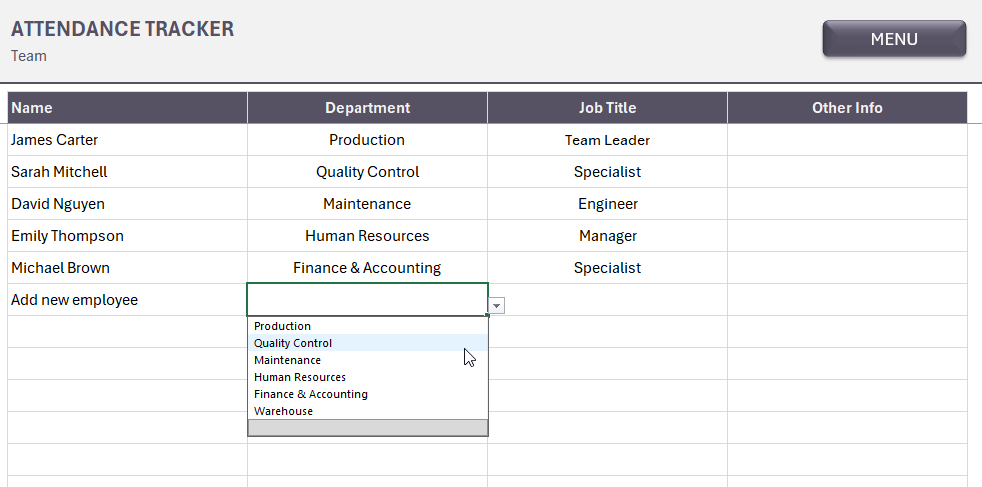
This is a simple list of your attendants. You’ll list the names with Job Titles and Departments. These last two have dropdown menus, fed from the Menu settings.
3. Monthly Sheets
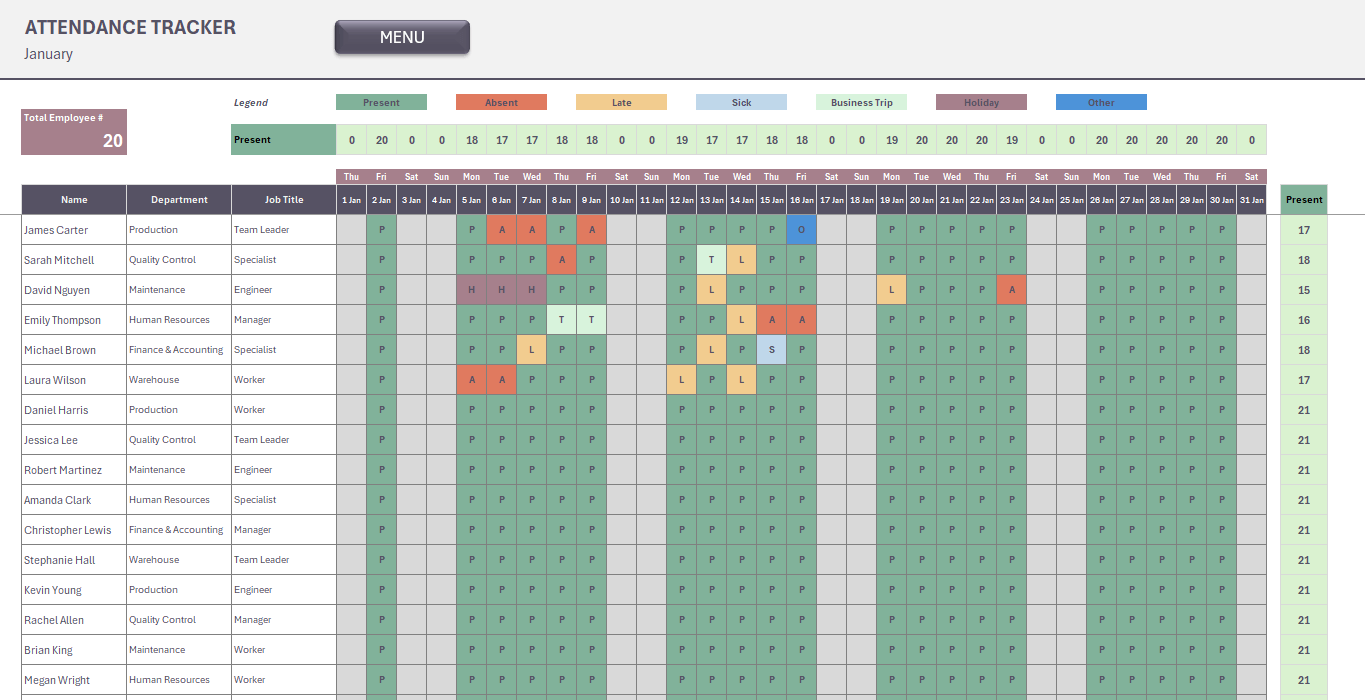
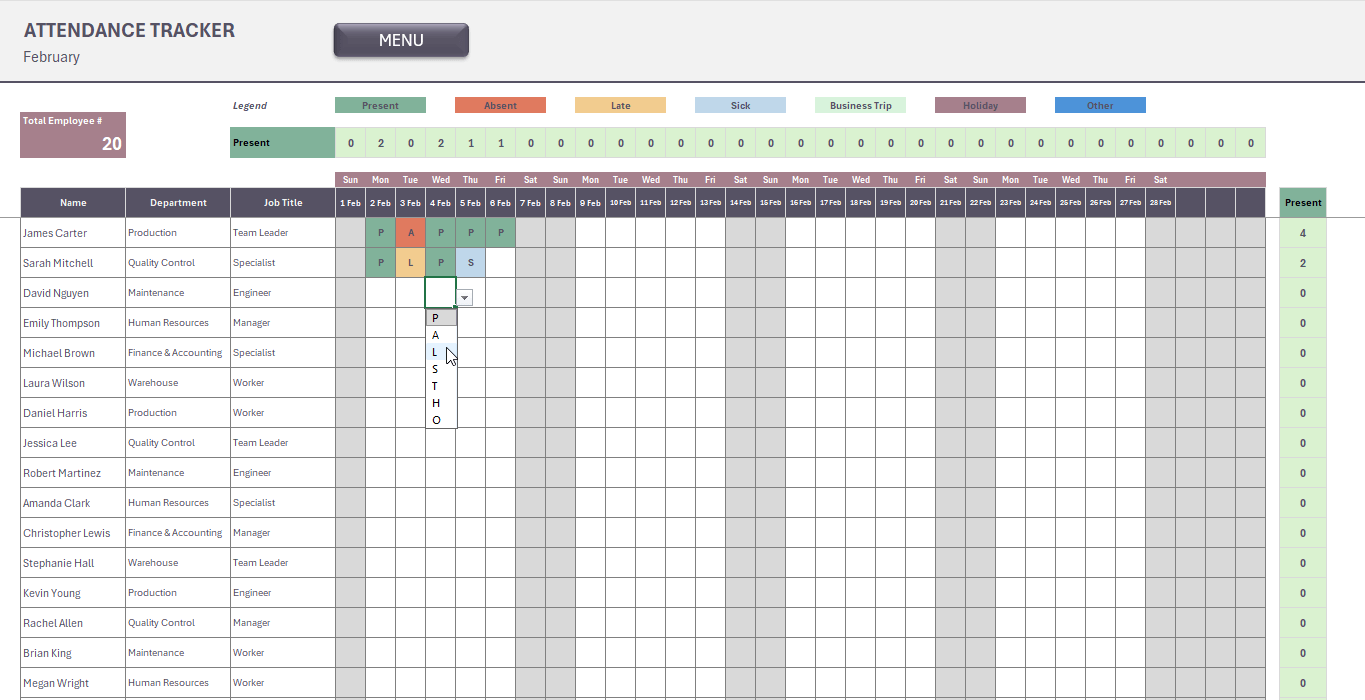
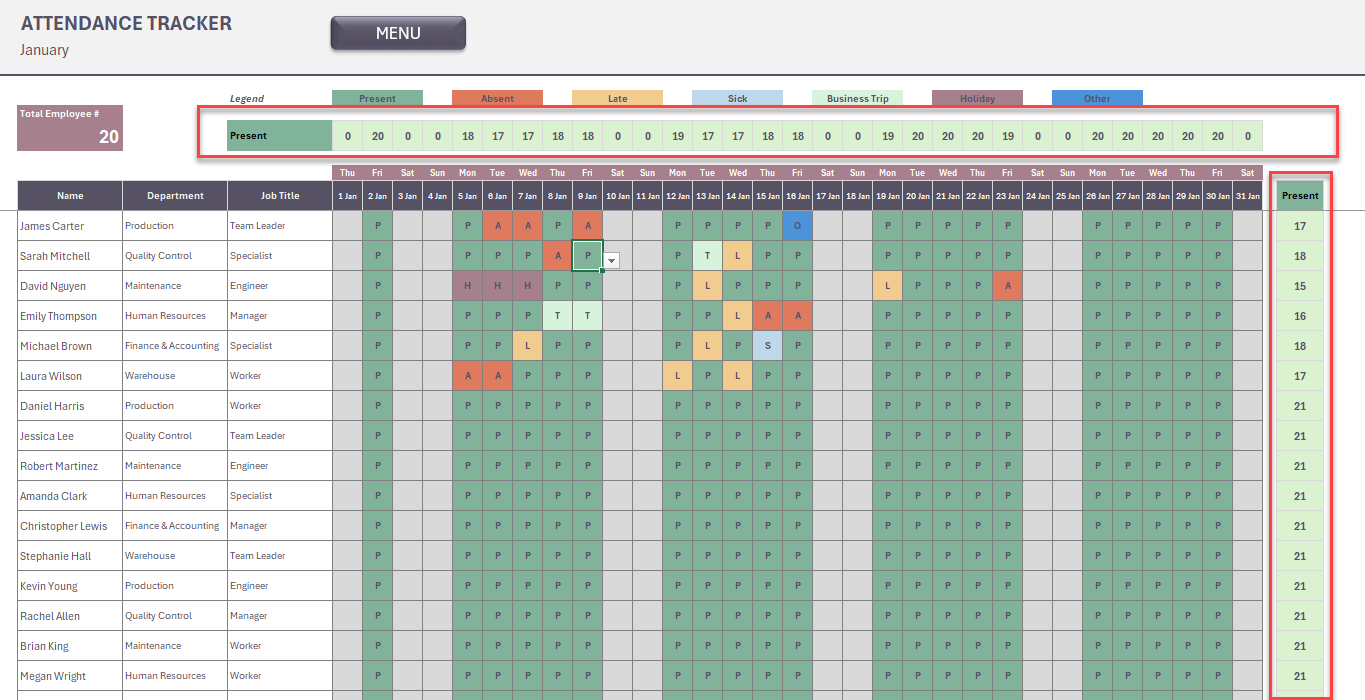
Once you’re done with the settings and employee list, now you can track the attendance status monthly.
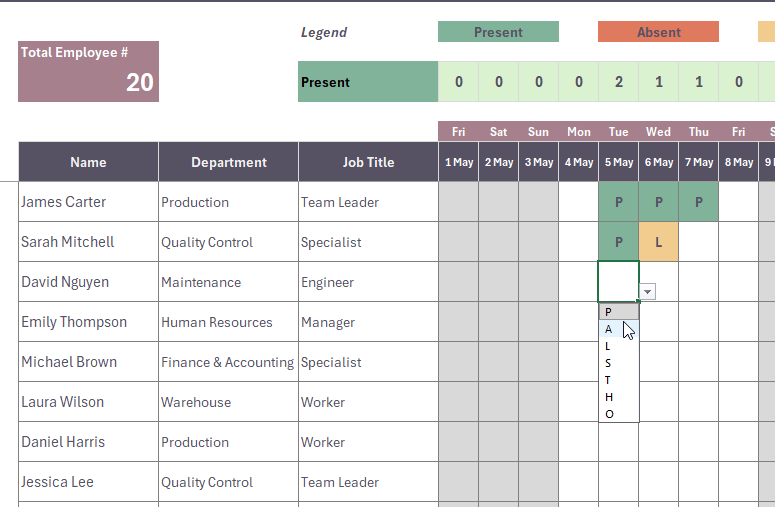
The attendant list will display automatically. You’ll not have to add them for each month.
The non-working days and other holidays will come in gray background, so you can leave here empty. The template will calculate the working days of each month automatically.
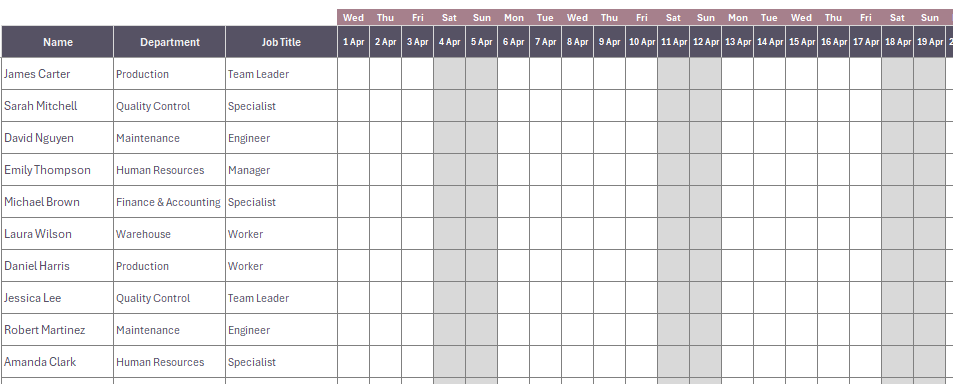
Furthermore, you’ll be able to see daily presence totals and each person’s total presence in a month in the monthly sheet.
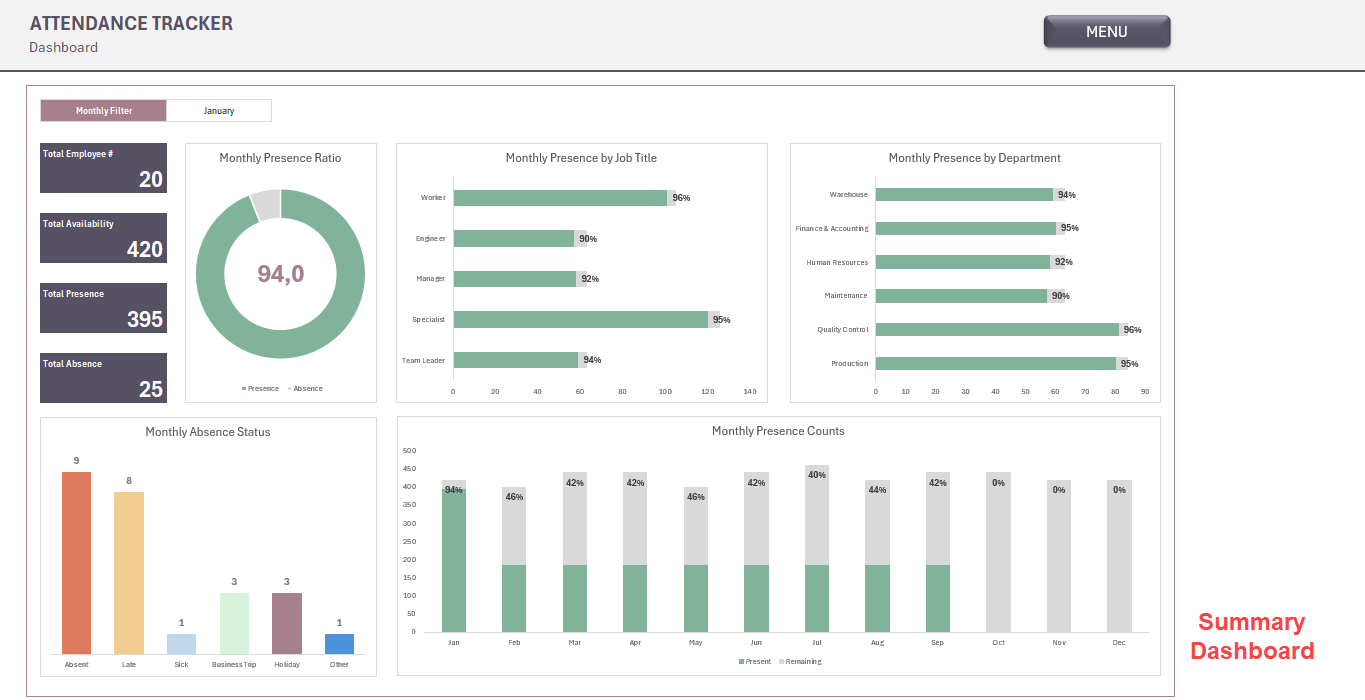
4. Dashboard for Attendance Tracker Excel Template
This section will give you an overall summary of the annual attendance of your team.
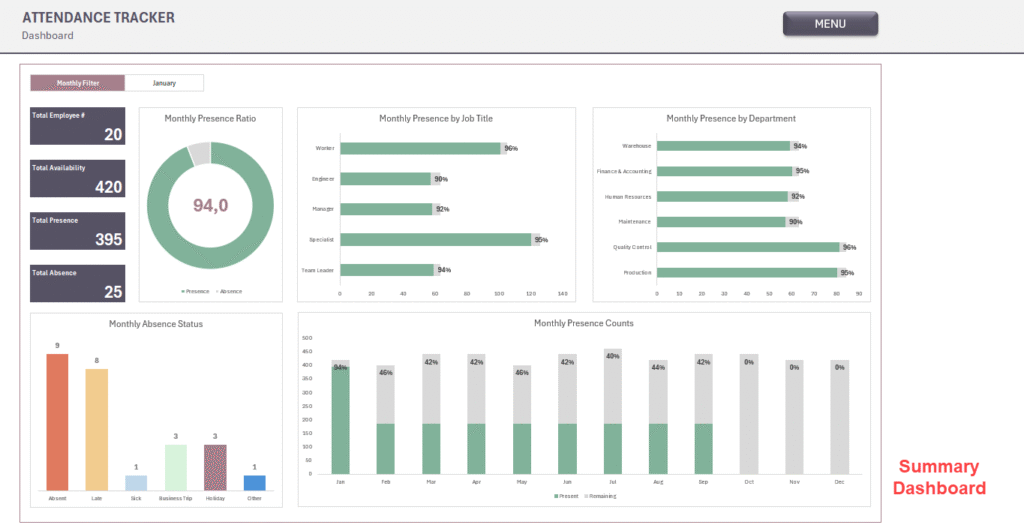
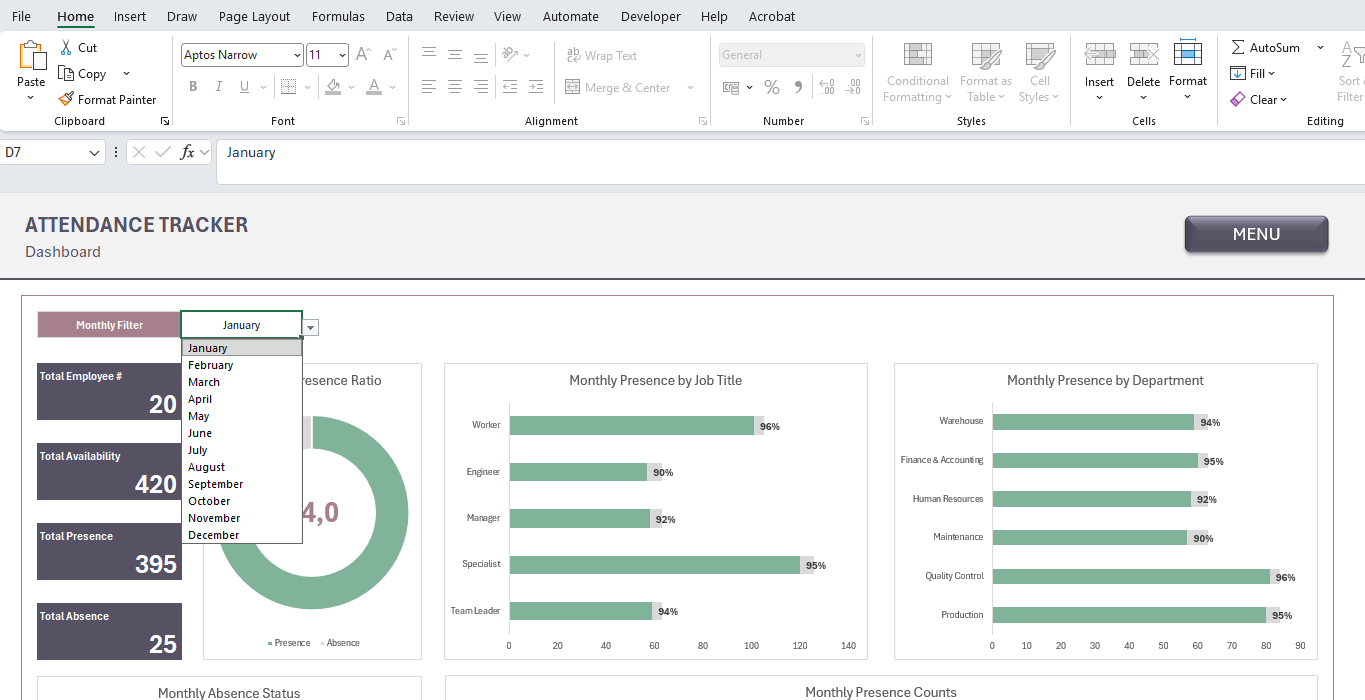
You can use the Month filter above to change the monthly analysis charts.
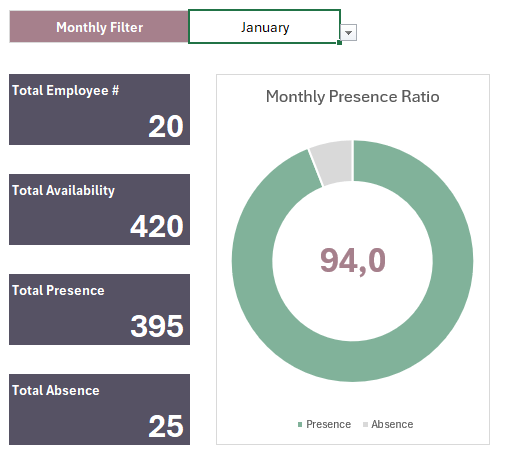
Firstly, this dashboard will give you total availability vs total presence numbers.
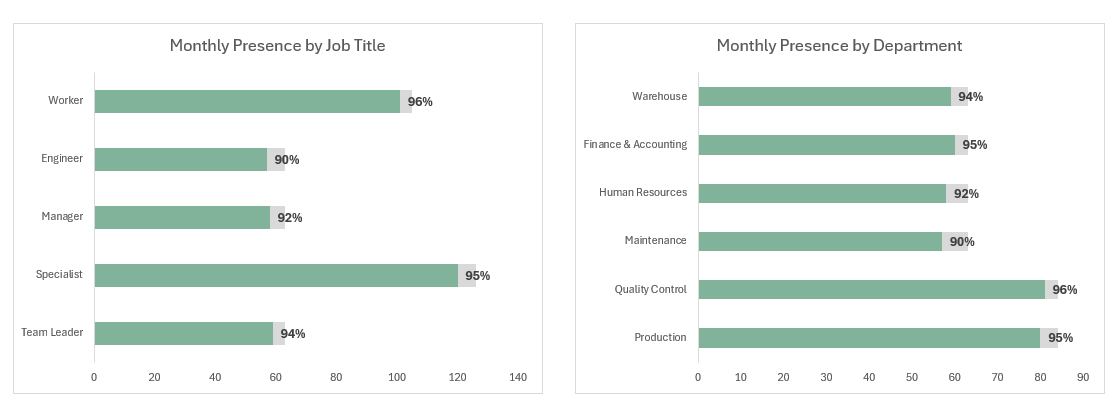
Also, you will be able to see Monthly Presence ratios by Job Title and by Department.
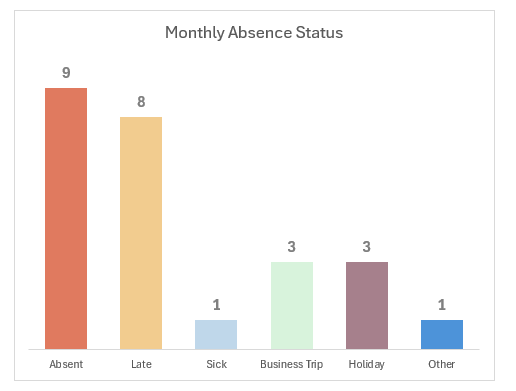
Again, you can track absence types in the dashboard.
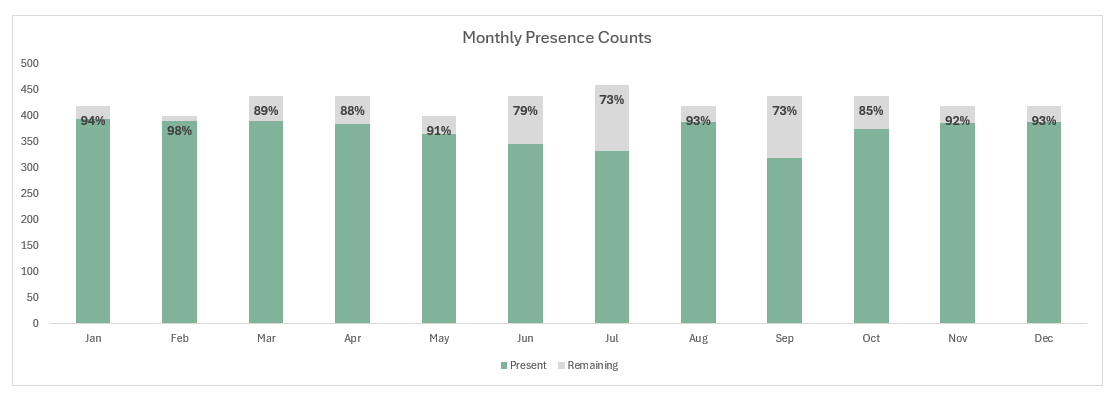
Lastly, you’ll be able to see the monthly attendance rates on a visual presentation. Please remember that this chat is independant from the monthly filter.
Attendance Tracker Excel Template Features:
- 12 Monthly Attendance Sheets — A dedicated sheet for every month, pre-structured and ready to fill in
- Auto-Populated Employee List — Add your team once in the roster; names appear automatically across all monthly sheets
- Dropdown Attendance Statuses — Select from customizable codes including Present, Absent, Late, Half Day, Work From Home, On Leave, On Duty, and Holiday
- Customizable Leave Types — Define Sick Leave, Annual Leave, Unpaid Leave, Emergency Leave, and more
- Department & Job Title Dropdowns — Organize your workforce by department and role with pre-configured selection menus
- Working Days Configuration — Set your weekly working days and mark public holidays across the year
- Summary Dashboard — Analyze total attendance days, absence frequency, and status breakdowns at a glance
- No Macros or Plugins Required — Compatible with Microsoft Excel 2016 and later versions
- Instant Download — One .xlsx file, ready to use immediately after purchase
Who It’s For?
This template is purpose-built for professionals who manage people and need structured, audit-ready attendance records.
- HR Managers tracking daily workforce presence and leave balances.
- Operations & Production Managers monitoring shift attendance in manufacturing or field environments.
- Team Leaders & Supervisors who need a quick daily log without administrative overhead.
- Small Business Owners looking for a cost-effective alternative to HR software.
- Office Administrators responsible for maintaining employee records across multiple departments.
If you manage a team of any size and need a single source of truth for attendance data, this template was built for you.
Frequently Asked Questions (FAQ)?
-
Do I need any special software to use this Attendance Tracker template?
No. The template runs entirely on Microsoft Excel 2016 or any later version. No macros, add-ins, or third-party plugins are required.
-
Can I customize the attendance status codes?
Yes. All status codes are fully editable from the Menu sheet. You can rename, add, or remove statuses to match your company’s policies.
-
How many employees can the attendance tracker template support?
The template is designed to accommodate teams of various sizes. You can add or remove employee rows up to 1.000 employees directly in the Team sheet.
-
Is this attendance tracker template suitable for non-manufacturing companies?
Absolutely. While the default setup reflects a corporate and manufacturing environment, all departments, job titles, and settings are fully customizable for any industry.
-
Will this attendance tracker excel template work for years beyond 2026?
The template is configured dynamically. So you’ll select the year before starting, and then complete the holiday days for that year.
-
What do I receive after purchase?
You will receive one Excel file (.xlsx) available for immediate download. No physical product will be shipped.
Do you need help for your Excel files?
Let our Experts create custom files for you!
You may be also interested in:
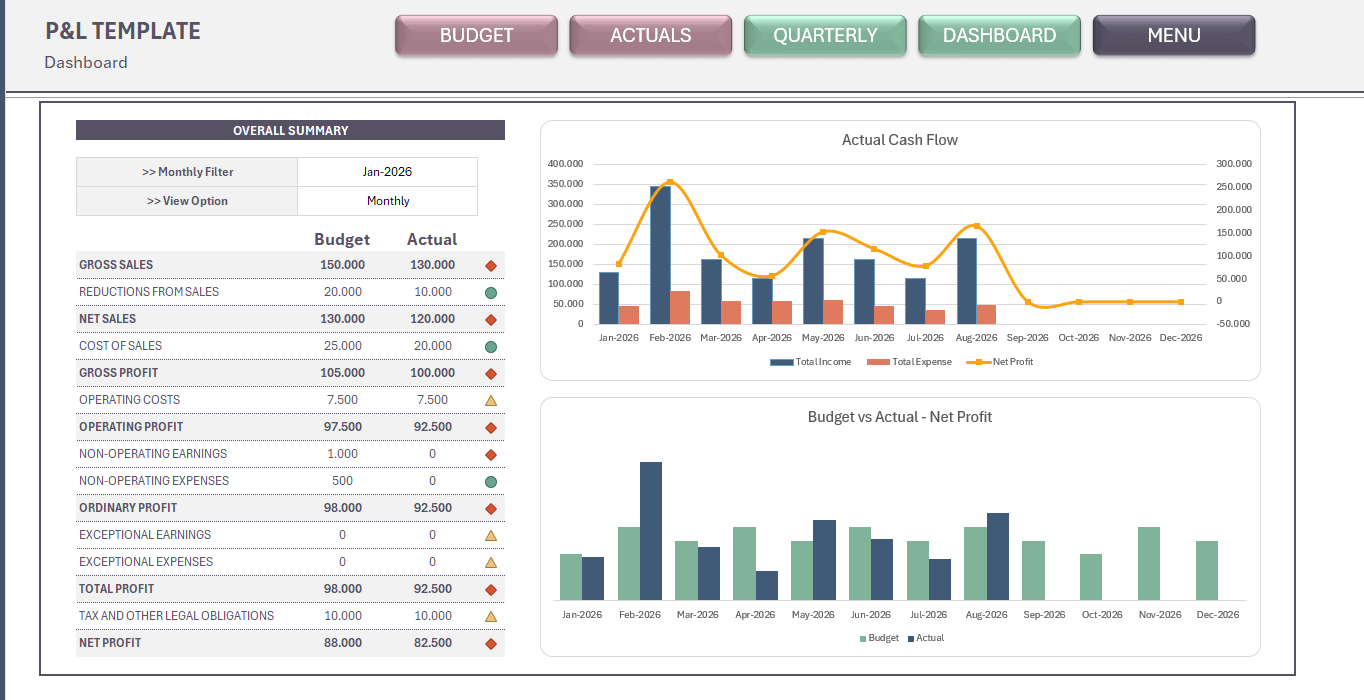
Profit and Loss Excel Template
Profit and Loss Excel Template. Prepare yearly budget and compare actuals. Professional format. Accounting spreadsheet. P&L Excel file. Printable, editable.
Attendance Tracker Excel Template
Attendance Tracker Excel Template. Spreadsheet to track attandance and absence for a team: employees, students, course attendants, etc. Dashboard included.
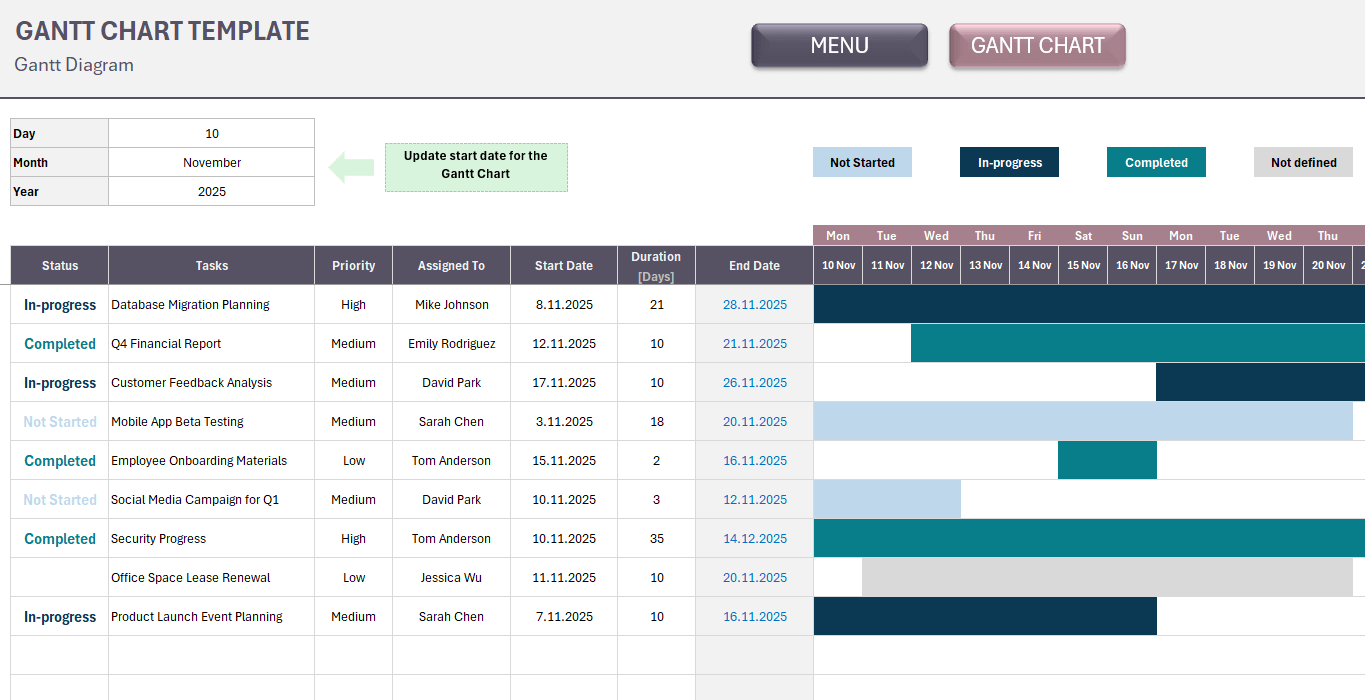
Gantt Chart Excel Template
Gantt Chart Excel Template. Simple task management tool. List your tasks and monitor entire project in a timeline. Editable Excel spreadsheet.
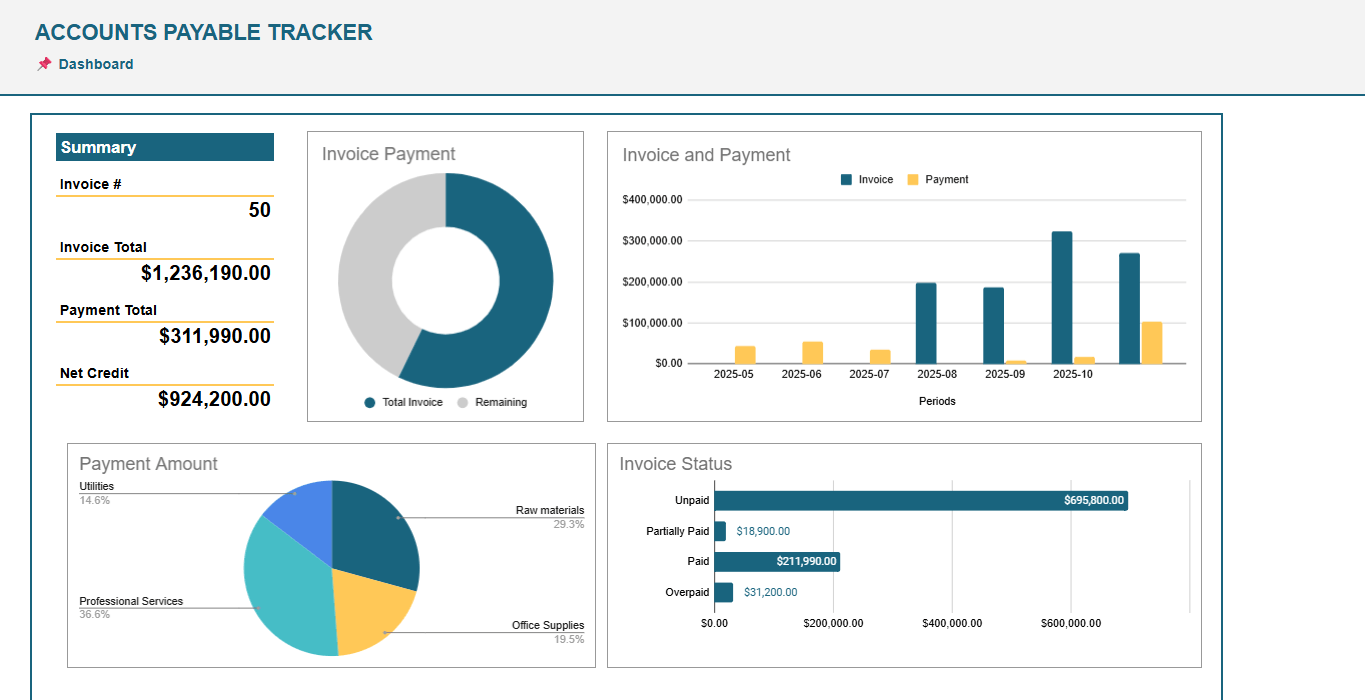
Accounts Payable Google Sheets Template
Accounts Receivable Tracker for Google Sheets. Monitor vendor invoices and payments. No more overdue bills! Ready spreadsheet. Printable account statement.
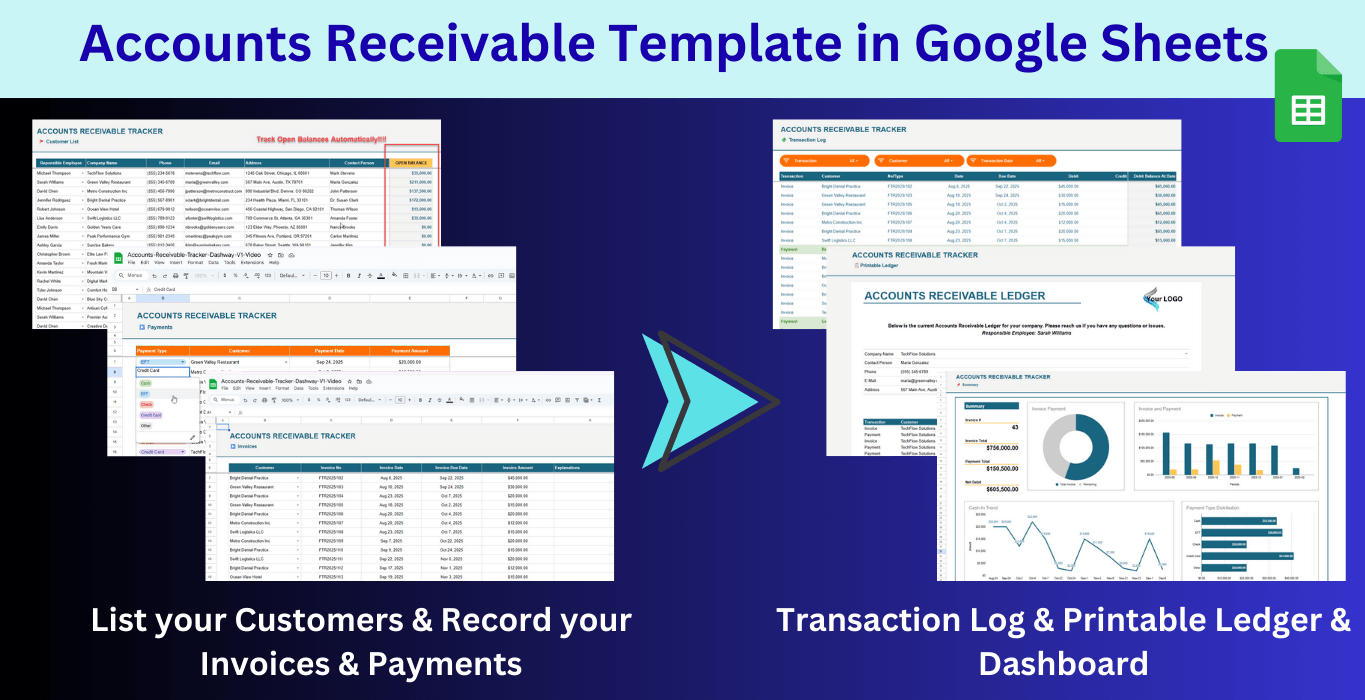
Accounts Receivable Google Sheets Template
Accounts Receivable Google Sheets Template. Record your invoices and payments, then track cash flow and open balances. Accounts Receivable Tracker. Ready file.
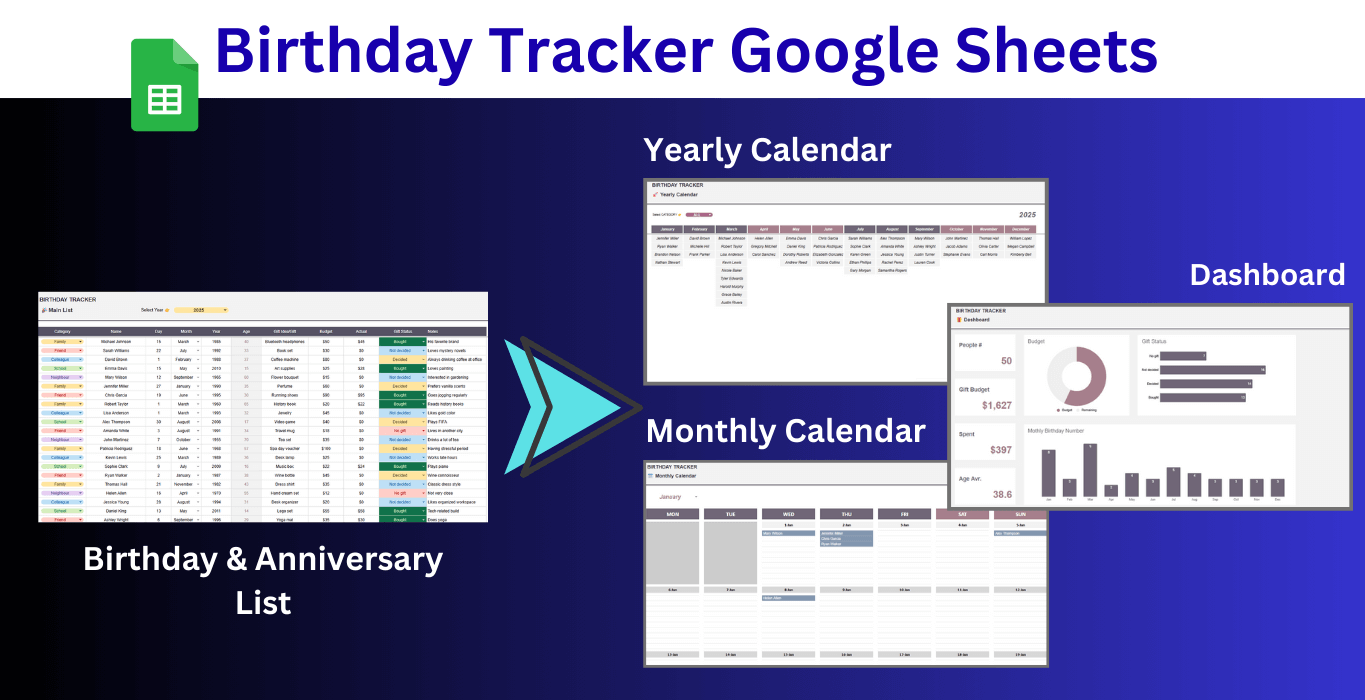
Birthday Tracker Google Sheets Template
Download Birthday Tracker Google Sheets Template. Keep track of all important dates throughout year. Gift planner and anniversary organizer.